Log In
ZyLAB ONE is a web-based document management and review application that operates on most modern browsers. Continuously invests in the security of your account. As of September 1, 2026, signing in to ZyLAB ONE includes an additional step: choosing how you want to verify your identity.
Alongside the existing SMS verification, you can now sign in using the Microsoft Authenticator app. An authenticator app generates your verification code locally on your phone, without relying on a mobile network — making it a more reliable method that's better protected against fraud patterns increasingly affecting SMS verification worldwide, such as phishing and SIM-swapping.
We recommend the Microsoft Authenticator app for stronger account security. SMS verification remains available if you prefer it.
How to set up the Microsoft Authenticator app
-
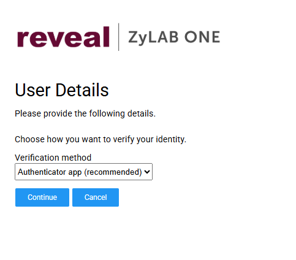
Select the authenticator app as your verification method.
At sign-in, on the User Details screen, under Verification method, select Authenticator app(recommended) and Continue.
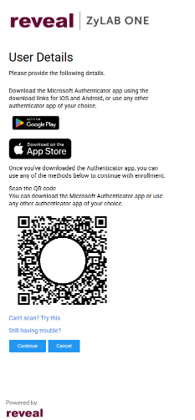
2.Download the app and scan the QR code
Don't have the Microsoft Authenticator app on your phone yet? Download it from Google Play (Android) or the App Store (iOS). Then open the Microsoft Authenticator app and scan the QR code on screen to link it to your ZyLAB ONE account — this is a one-time step.
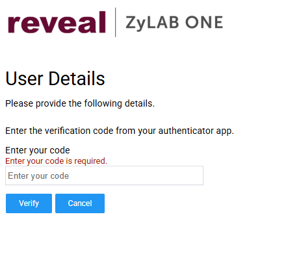
3.Enter the verification code.
Open the Microsoft Authenticator app, read off the 6-digit verification code, and enter it on screen. Then click Verify.
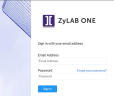
From now on, ZyLAB ONE will automatically ask for the code from your Microsoft Authenticator app at every sign-in, as long as Authenticator app stays selected as your verification method.
Lost your phone, got a new device, or need to reinstall the app?
Contact support@zylab.com. Support will reset the link, after which you can pair the Microsoft Authenticator app again using the steps above.
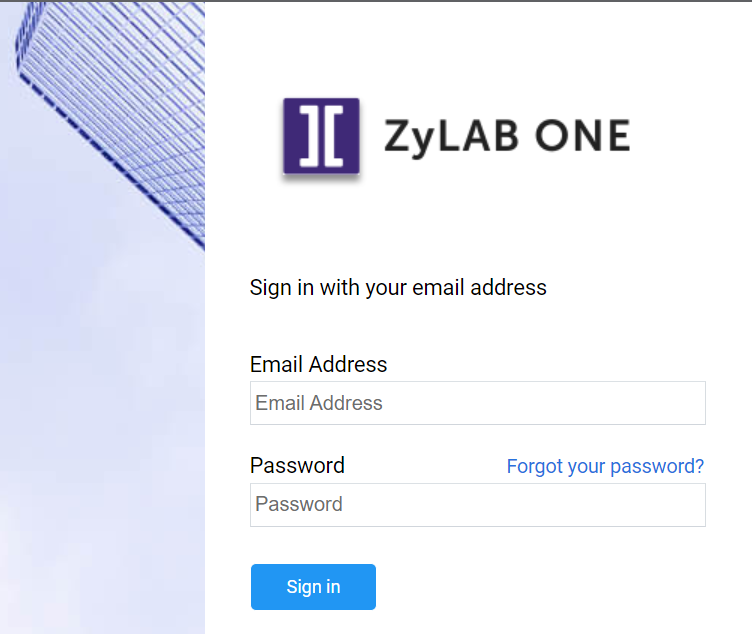
For more information on logging-in— see Log In and Select, Create or Delete Matter.
|
|
Note: If you are expecting an invitation to access ZyLAB ONE and have not yet received it, please first check your Spam and Trash for an email from ZyLAB.com. |
